
Bill your week in one minute.
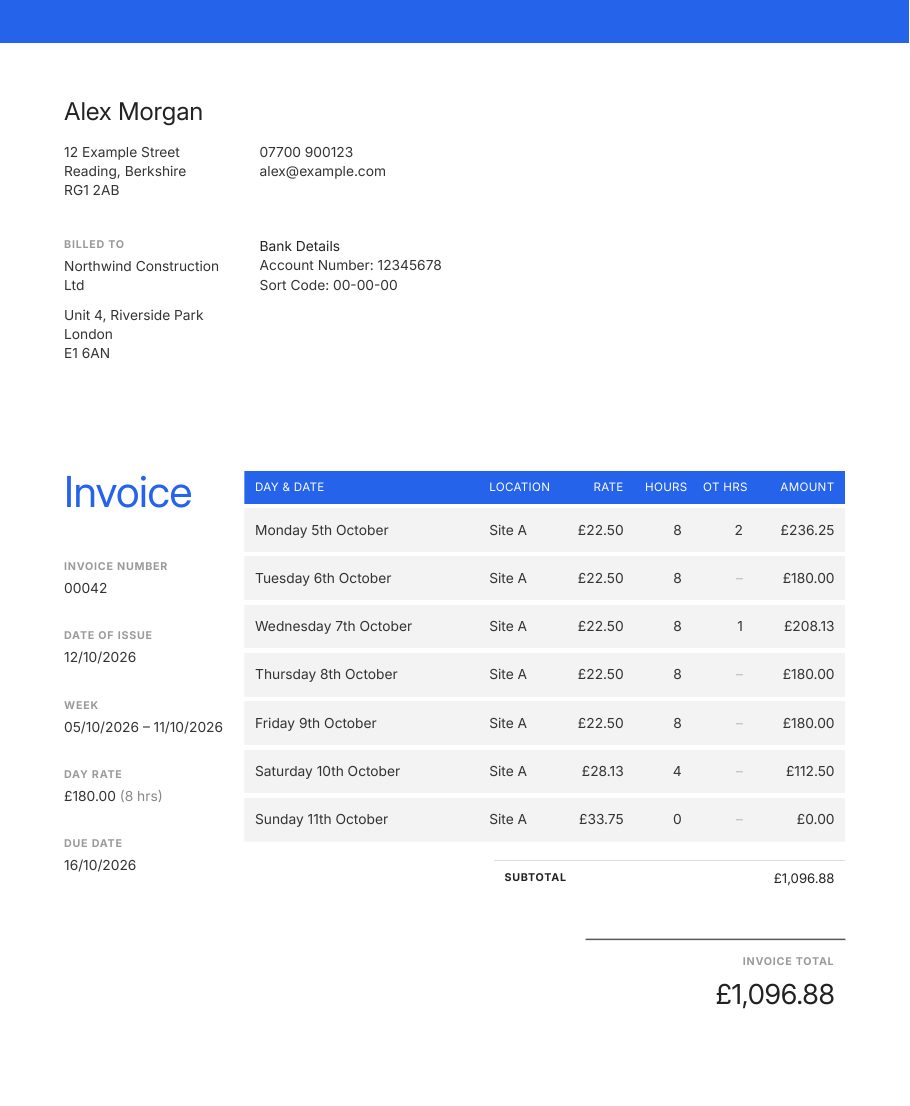
Pick the date and your week fills in for you, with day rates, overtime and weekend rates already worked out. Download a polished PDF or email it straight to your client.
Free while in beta · No card needed · Made in the UK
How it works
Add your details once
Your name, bank details, day rate and your client's details. Not sure of your hourly rate? Try the day rate calculator.
Pick the issue date
Last week (or last month) fills in by day. Just adjust the hours and overtime.
Download or email
Get a clean, professional PDF, or a Word, Excel, CSV or PNG copy. Email it to your client from the site where email sending is enabled.
Everything you need, nothing you don't
Auto-fills the last full week or month, with an option to skip weekends.
A full day is always exactly your day rate. Overtime ×1.25, Saturday ×1.25 and Sunday ×1.5, all adjustable.
Add your logo, accent colour and font. One-page A4 PDFs that look the part.
Send the PDF to your client with a message you can edit.
Draft, sent, paid and overdue at a glance, with totals outstanding.
HTTPS, hashed passwords and daily backups. Export or delete your data any time.
Questions
Is BillMyWeek free?
It's free while in beta (testing). We plan to keep a free plan and add an optional paid plan later. No card is needed, so create an account and start invoicing. There's nothing to install.
How does the week fill in?
Pick the issue date. BillMyWeek fills in the last complete Monday to Sunday week before it, one row per day. Switch Period to Monthly to fill the previous calendar month instead.
How are rates worked out?
Set a day rate (for example £165) and your standard hours (for example 8). The hourly rate is the day rate divided by the hours. Overtime and Saturday use ×1.25 and Sunday ×1.5 by default. A full standard day is always charged at exactly your day rate.
Can I change the look of my invoices?
Yes. Under My details → Invoice appearance you can choose an accent colour and a font, and upload your logo. Use “Sample PDF” to preview.
Can I download invoices as Word, Excel or an image?
Yes. On an invoice, use the arrow next to PDF to download it as Word (.docx), Excel (.xlsx, with formulas for the totals), CSV (line items) or an image (.png). For your accountant, use Export for accountant on the invoice list to get a CSV or Excel summary of the invoices issued in a date range.
Does it handle VAT and CIS?
Yes, both are optional and off by default. In My details → VAT & CIS you can turn on VAT invoices (VAT number, tax point, 20%/5%/0% and the construction domestic reverse charge) and CIS (UTR and a 20%, 30% or 0% deduction on labour only, with materials lines excluded). You can override both on each invoice. Older invoices aren't changed. This isn't tax advice, so check HMRC's guidance if you're unsure.
Can I email invoices from the site?
Yes, once email is set up. Open an invoice and click “Email to client”. The PDF is attached and the invoice is marked as sent.
How do due dates work?
Weekly invoices are due on the Friday of the issue week by default. Monthly invoices are due 30 days after issue, or at the end of the month. You can change both in My details, and edit the due date on any invoice.
Is my data safe?
Your data is sent over HTTPS, passwords are hashed, and the database is backed up daily. You can export everything or delete your account at any time from Account.
I forgot my password
Use “Forgot password?” on the login page. If email isn't available, send us a message through the contact form and we'll reset it for you.
Ready to send this week's invoice?
It takes about a minute to set up.
Create your account